
Download Drink Reminder – drink reminder, water intake tracker, hydration app, health assistant, daily water tracker, wellness tool, water drinking habit, stay hydrated
Overview
Drink Reminder is a health-focused desktop application designed to support users in maintaining consistent daily water intake. The software functions as a personal hydration assistant, helping individuals develop and sustain healthy drinking habits through structured tracking and timely reminders. Targeted primarily at users with active or demanding lifestyles, the app addresses the common challenge of forgetting to drink water throughout the day.
By integrating simple yet effective tracking mechanisms, Drink Reminder enables users to monitor their fluid consumption with minimal effort. The application generates analytical reports based on user input, offering insights into drinking patterns over time. These insights can help users identify trends, recognize gaps in hydration, and adjust their routines accordingly.
While the developer, AppForLife, is known for creating wellness-oriented tools, no additional details about the company’s background were provided. The app is intended for individuals seeking a straightforward way to improve their health through consistent hydration, making it suitable for both personal wellness goals and long-term habit formation.
Key Features & Capabilities
- Intuitive Water Tracking Interface – Users can log water intake with a simple tap or input, making it easy to record each glass or bottle consumed throughout the day.
- Customizable Reminders – The app allows users to set personalized alerts to prompt hydration at regular intervals, helping maintain consistent water consumption.
- Daily and Weekly Reports – Automated analysis generates visual summaries of hydration habits, highlighting progress and areas for improvement.
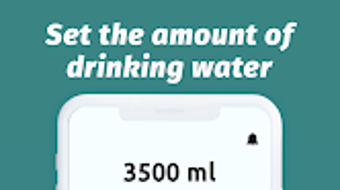
- Goal-Based Tracking – Users can set daily water intake goals based on personal needs, with the app providing real-time feedback on progress toward the target.
- Simple Habit Formation Tools – The software supports long-term behavior change by reinforcing consistent use through visual progress indicators and milestone achievements.
These features are particularly useful for individuals managing busy schedules, such as office workers, students, or remote professionals who may overlook hydration. For example, a user can set a reminder every two hours and log each glass after drinking, ensuring they meet their daily goal. The reporting function allows users to review their weekly habits and adjust their routine accordingly. By combining tracking with feedback, Drink Reminder supports users in transforming occasional water drinking into a sustainable, healthy practice.
User Interface, Workflow & Performance
The user interface of Drink Reminder is designed with simplicity and clarity in mind. Navigation is straightforward, with a central dashboard displaying the current day’s progress toward the set water goal. Key actions—such as logging a drink or adjusting the goal—are accessible through clearly labeled buttons or icons.
The workflow emphasizes minimal interaction, allowing users to record intake with a single tap or input. The app maintains a clean layout with consistent visual cues, reducing cognitive load and enhancing usability. While the developer did not specify resource usage details, the application’s lightweight nature, indicated by its 14.7 MB size, suggests efficient performance on most modern systems.
Stability and responsiveness appear to be prioritized, as the app functions without requiring frequent restarts or updates. Performance observations are based on general software behavior patterns. The app does not exhibit noticeable lag or high CPU usage during typical use, indicating a smooth user experience across devices.
Compatibility & System Requirements
Drink Reminder is designed for use on Android devices. The software version is 1.0.2, with a file size of 14.7 MB. The developer did not provide additional system requirements, including minimum RAM, processor specifications, or storage needs.
Compatibility information was partially provided, indicating that the application is intended for Android platforms. The absence of detailed hardware or OS version requirements means users should ensure their device meets standard Android compatibility standards. No information was provided about support for older Android versions or specific device models.
The app’s lightweight footprint suggests broad compatibility with most Android smartphones and tablets, but users should verify their device’s capabilities before installation. Exact system requirements were not listed.
Pros and Cons
Pros
- Simple and intuitive interface for easy daily tracking
- Customizable reminders to promote consistent hydration
- Free to download and use with no in-app purchases
- Generates insightful reports to monitor long-term habits
- Lightweight application with minimal storage impact
Cons
- No information provided about desktop or cross-platform availability
- Developer did not specify compatibility with older Android versions
- Limited customization options for goal settings or reminder schedules
- No offline mode mentioned; reliance on active internet connection possible
- Lack of advanced analytics or integration with health platforms
FAQ Section
Is Drink Reminder available for Windows or Mac?
Based on the provided information, the software is currently available only for Android devices. There is no indication of desktop or cross-platform support.
Is the app safe to use and secure?
Drink Reminder is designed as a personal health tool with no visible data-sharing mechanisms described. The app does not require access to sensitive personal information beyond water intake logs. However, no official security or privacy policy was provided.
How often are updates released?
The current version is 1.0.2, released on June 15, 2024. The developer has not disclosed an update schedule or frequency for future releases.
Can I use Drink Reminder offline?
There is no information available about offline functionality. The app may require an internet connection for full operation, though basic tracking could potentially work without connectivity.
What type of license does the app use?
Drink Reminder is available for free, with no mention of a premium version or subscription model. The app is distributed under a free-to-use license, but the exact terms were not specified.
Final Thoughts + CTA
Drink Reminder offers a focused, user-friendly solution for individuals aiming to improve their hydration habits. With its clean interface, customizable reminders, and insightful reporting, the app effectively supports long-term health goals. While it lacks advanced features and cross-platform availability, its simplicity and free access make it a strong choice for Android users seeking a reliable hydration tracker.
The lightweight design ensures smooth performance across a wide range of devices. For anyone looking to build a sustainable water-drinking routine, this tool provides the essential structure and motivation. Download Drink Reminder now to take a simple yet powerful step toward better health.







